QSR POS Software — RoyalPOS, a complete POS solution for QSR & fast food with fast billing, self-ordering kiosk, mobile & tablet billing, KOT management, kitchen display (KDS), token display and order management.
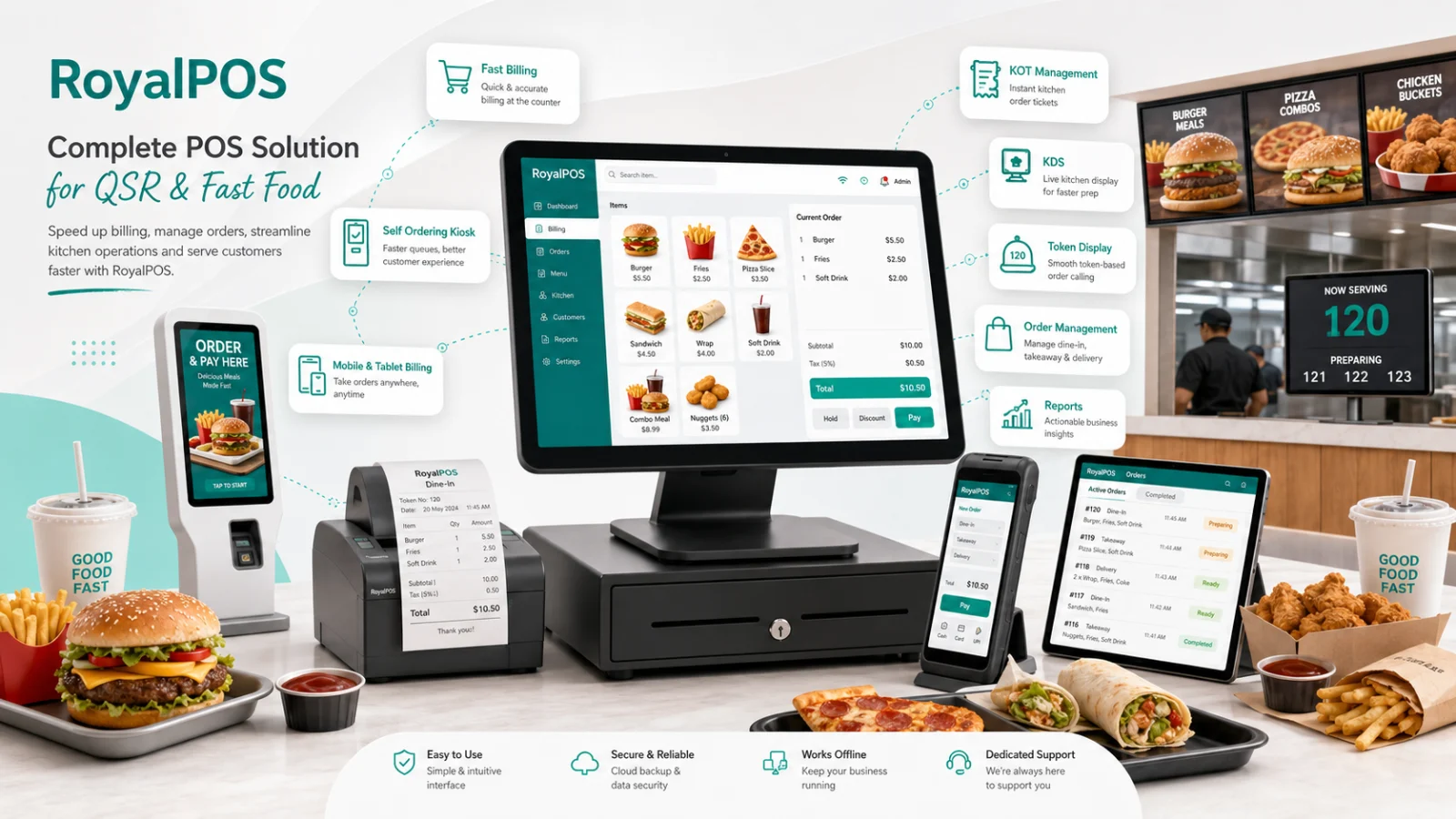
See RoyalPOS at your counter — book a free, no-obligation demo.
Everything a Quick Service Restaurant Needs
From the lunch-hour crush to the late-night delivery spike — one POS keeps orders moving.
Seconds-Fast Billing
Punch an order and print a GST-ready receipt in seconds. New counter staff learn the screen in minutes, so the line never stalls.
Self-Ordering Kiosk
Customers order and pay online themselves on an Android or Windows kiosk that plays offer slideshows when idle — your counter and kiosk bill in parallel.
Kitchen Display System
Orders appear on a kitchen screen as pending, in-process or served. The chef marks items ready and the counter is notified — no paper KOT chaos.
Token & Collect
Every kiosk order gets a token number, so customers step aside and collect when called — the counter stays clear for the next order.
Swiggy & Zomato in the POS
Delivery orders from Swiggy, Zomato, FoodPanda and UberEats land inside RoyalPOS with menu sync, one-click item enable/disable and separate delivery pricing.
Combos & BOGO Offers
Sell burger + fries + cola combos in one tap, run buy-one-get-one offers and discounts — set them once in the back office, sell everywhere.
From Counter to Collection in 4 Steps
Customer Orders
At the counter in two taps, or on the self-ordering kiosk — the queue splits and moves twice as fast.
Pay & Get a Token
UPI, tap cards, QR pay or cash. The receipt prints instantly with a token number for collection.
Kitchen Sees It Live
The order hits the Kitchen Display as pending, moves to in-process, and the chef marks it ready.
Token Called, Order Served
The counter is notified the moment food is ready — customer collects with the token and you serve the next one.
Traditional QSR Counter vs. RoyalPOS
| What matters | Traditional QSR counter | RoyalPOS |
|---|---|---|
| The queue | One till, one line, walk-outs at peak hour | Kiosk + counter billing in parallel with tokens |
| The kitchen | Paper KOTs lost, smudged or out of order | Kitchen Display with pending / in-process / served |
| Delivery apps | A separate tablet per aggregator | Swiggy, Zomato & more inside one POS screen |
| End of day | Manual tally of bills and delivery payouts | 35+ live reports, daily emails, CSV/Excel/PDF export |
| Internet cut | Billing stops mid-rush | Billing continues 100% offline and syncs later |
One POS for Every Fast-Moving Format
QSR POS — Common Questions
What is the fastest way to cut queues at a QSR counter?
▾Add a RoyalPOS self-ordering kiosk next to your counter. Customers browse the menu, order and pay online themselves on an Android or Windows kiosk, then collect with a token number — so the kiosk and the counter bill in parallel and the queue splits in two. The kiosk even plays an offer slideshow when idle.
Does the kitchen see orders on a screen instead of paper KOTs?
▾Yes. The RoyalPOS Kitchen Display System runs on any Android or Windows screen and shows every order as pending, in-process or served. The chef marks an item ready on the screen and the waiter or counter staff is notified instantly — no lost or smudged paper KOTs.
Can I manage Swiggy and Zomato orders in the same POS?
▾Yes. Swiggy, Zomato, FoodPanda and UberEats orders land directly inside RoyalPOS. Menus sync automatically across aggregators, you can enable or disable items everywhere in one click, and you can set separate delivery and dine-in pricing.
Can RoyalPOS handle combos and buy-one-get-one offers?
▾Yes. Build item combos like burger + fries + cola, run BOGO offers and discounts, and sell them with one tap at the counter or on the kiosk. Set them up once in the back office and they apply across all your outlets.
Ready to Speed Up Your QSR Counter?
Join 8,000+ outlets already billing faster with RoyalPOS. Kiosk, KDS and delivery apps — live in under a day.