Cloud Kitchen POS Software built for Swiggy & Zomato order management
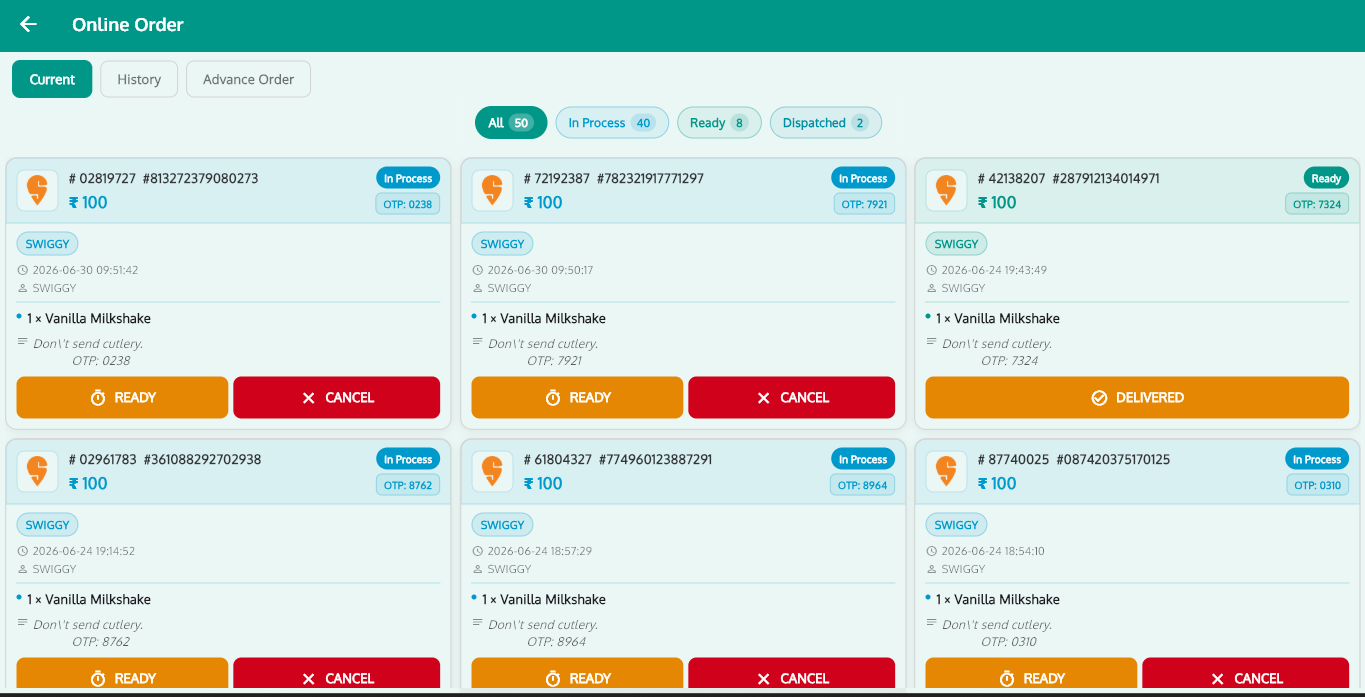
Delivery-only kitchens live and die by aggregator ops. RoyalPOS pulls every Swiggy, Zomato, FoodPanda and UberEats order into one POS screen, keeps menus in sync everywhere, drives the cook line with a Kitchen Display and controls food cost with recipe inventory.
- All aggregators, one screen
- Automatic menu sync
- Kitchen Display System
- Multi-brand admin
Everything a Cloud Kitchen Needs
From the order ping to dispatch — one system runs your entire delivery kitchen.
All Aggregators, One Screen
Swiggy, Zomato, FoodPanda and UberEats orders land directly inside RoyalPOS. No tablet wall, no missed pings, no re-punching orders.
Automatic Menu Sync
Update an item, price or photo once and it syncs across every aggregator and outlet automatically — with separate delivery vs dine-in pricing.
One-Click Stock-Out Toggle
Paneer finished mid-rush? Disable the item once and it switches off on Swiggy, Zomato and everywhere else instantly. Flip it back on the same way.
Kitchen Display for the Line
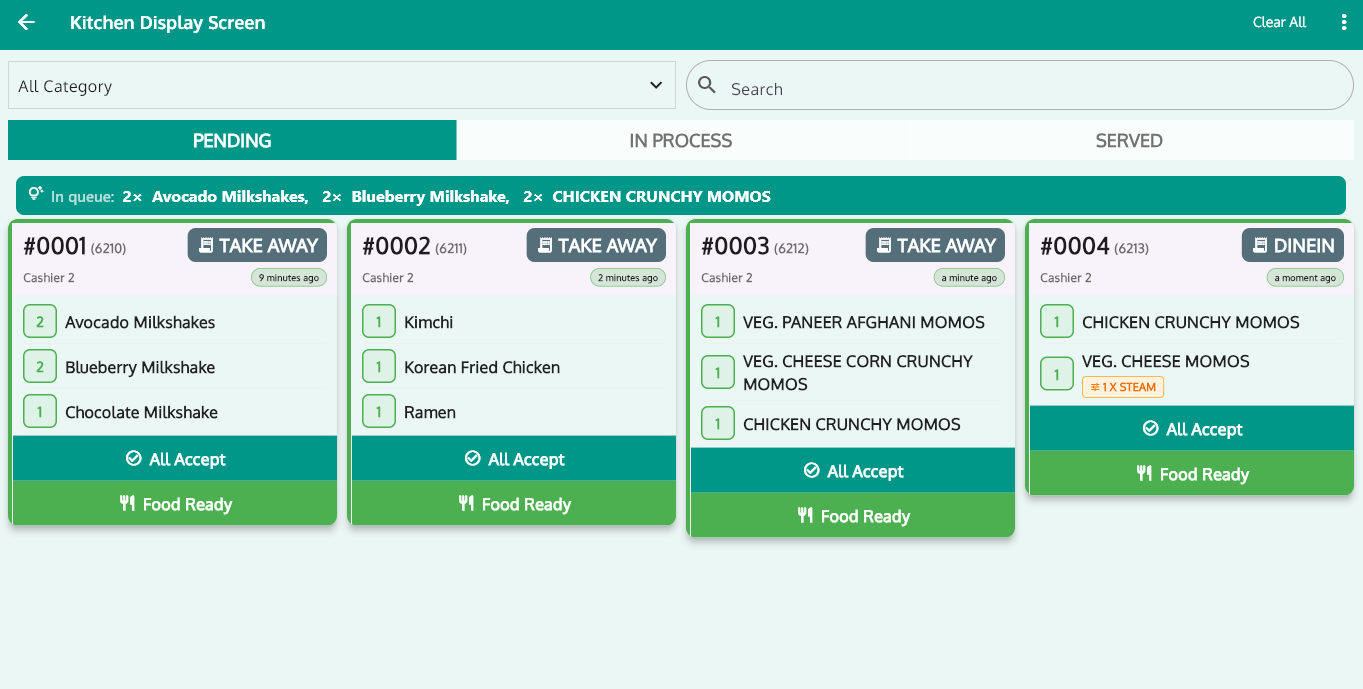
Orders flow straight to a Kitchen Display System on any Android or Windows screen. Cooks see, prepare and mark ready — no paper KOTs to lose.
Recipe Inventory & Dish Costing
Track raw materials, auto-deduct ingredients per order, know the true cost of every dish and log waste — margins stay visible, not guessed.
Per-Outlet & Consolidated Reports
35+ reports show each brand and kitchen separately or rolled up together, exportable to CSV, Excel and PDF with daily automated emails.
A Cook Line That Never Loses an Order
In a delivery kitchen there is no waiter to chase a missing KOT. Every aggregator order appears on the Kitchen Display the moment it is accepted, and multi-kitchen routing sends each item to the right station.
- Route items to the right station — Bluetooth, LAN or WiFi printers, or fully paperless KDS
- Cooks mark orders ready as they finish, so packing and dispatch stay in rhythm
- Works alongside fast order punching and instant receipts for direct orders
Run Every Brand From One Admin
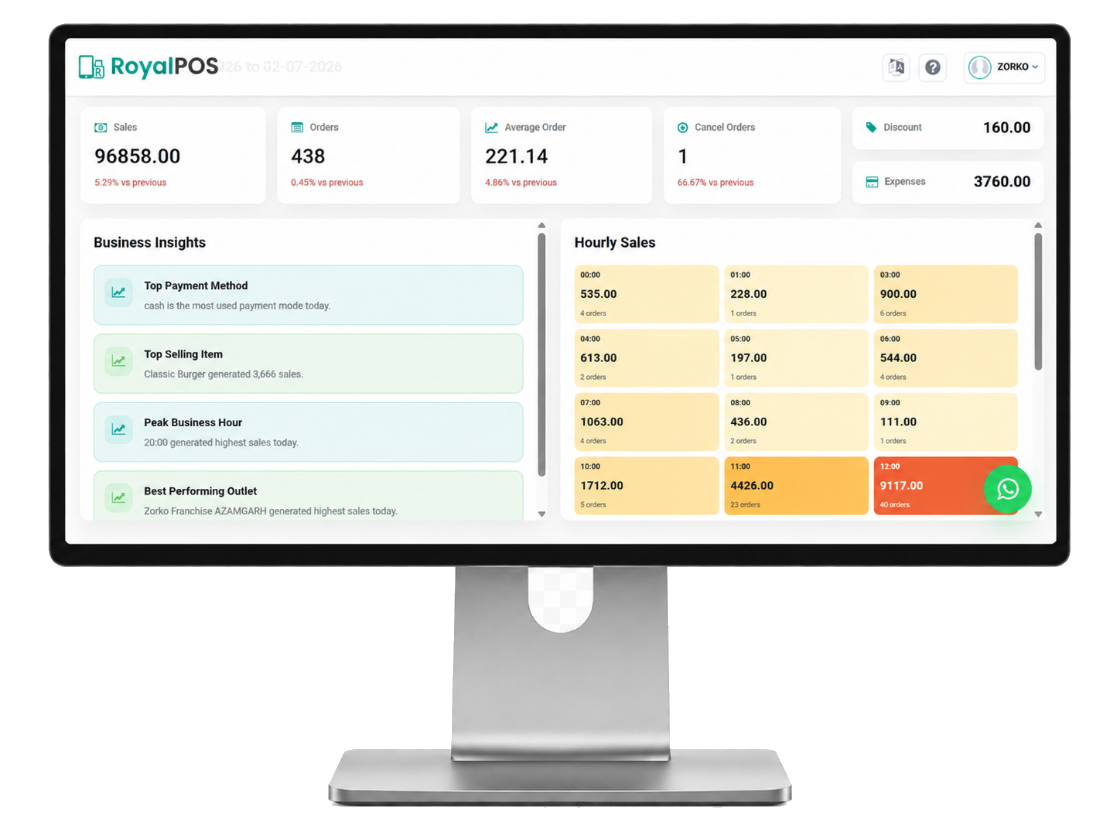
Biryani brand, momos brand, dessert brand — all out of the same kitchen? Manage every menu, price list and tax setup from one centralized web admin with multi-outlet location sync across aggregators.
- Role-based access: Super Admin, Location Admin, Cashier, Stock Manager
- Per-outlet taxes and pricing, GST-ready invoices on every order
- Watch live sales for every kitchen on the Merchant App, anywhere
From Swiggy Ping to Dispatch in 4 Steps
Order Hits Swiggy or Zomato
A customer orders on any connected aggregator — Swiggy, Zomato, FoodPanda or UberEats.
It Lands in RoyalPOS
The order appears inside the POS automatically — no separate tablet, no manual re-entry, no missed orders.
KDS Cooks & Marks Ready
The Kitchen Display shows the order on the line, recipe inventory auto-deducts ingredients, cooks mark it ready.
Dispatch & It's in Reports
Hand over to the rider and the sale flows straight into your per-brand and consolidated reports.
Why Cloud Kitchens Switch to RoyalPOS
Aggregator commissions already eat into margins — your POS should protect the rest.
- Know the exact cost of every dish with recipe-level costing before you set aggregator prices
- Cut food waste with auto-deducting recipe inventory and waste tracking
- Compare brands and outlets side by side to see which menu actually makes money
- No tablet juggling — one screen, one team, every aggregator order in one queue
More Ways RoyalPOS Fits Your Business
Cloud Kitchen POS — Common Questions
Which delivery aggregators does RoyalPOS integrate with?
▾RoyalPOS integrates with Swiggy, Zomato, FoodPanda and UberEats. Every order lands directly inside the POS with automatic menu sync, one-click item enable/disable and multi-outlet location sync — no separate tablet per aggregator.
Can I run multiple brands or outlets from one dashboard?
▾Yes. RoyalPOS has a multi-outlet centralized admin with role-based access (Super Admin, Location Admin, Cashier, Stock Manager). Manage menus, pricing, taxes and reports for every brand and kitchen from one web back office, and compare them side by side.
How do I mark an item out of stock on all delivery apps at once?
▾With one click. When an item runs out, disable it once in RoyalPOS and it turns off across Swiggy, Zomato and other connected aggregators. Enable it again the same way when stock is back.
How does RoyalPOS help control cloud kitchen food cost?
▾RoyalPOS recipe inventory tracks raw materials, auto-deducts ingredients with every order, calculates true dish costing and tracks waste — so you know exactly what each dish costs and where margin is leaking.
Ready to Run a Tighter Cloud Kitchen?
Join 8,000+ outlets on RoyalPOS. One screen for every aggregator, one admin for every brand.