Customer Display System that Builds Trust at the Counter
Let customers watch their order and prices appear live as your cashier punches it. No surprises on the bill, no disputes at payment — and an ad slideshow that sells for you between orders.
- Live order view
- Ad slideshow between orders
- Multi-screen POS ready
- Fewer billing disputes
One Screen, Three Jobs
The customer-facing screen verifies the bill, promotes your offers and makes your counter look professional.
Live Order View
Every item and price appears on the customer's screen in real time as the cashier punches it — the customer verifies the bill as it's made, not after.
Advertising Slideshow
Between orders the screen plays your images and videos — combos, festival offers, new launches — turning idle time into free advertising.
Multi-Screen Support
Works with multi-screen POS setups: the cashier bills on the main screen while the second, customer-facing screen mirrors the order live.
Transparent Billing in 3 Steps
Cashier Punches the Order
Your cashier bills on the main POS screen exactly as usual — nothing new to learn.
Customer Sees It Live
Each item, quantity and price appears on the customer-facing screen the moment it's added.
Verify & Pay Confidently
The customer checks the total on screen and pays without doubt — no re-reading receipts, no disputes.
Small Screen, Big Difference for Your Counter
- Fewer billing disputes — customers catch mistakes before payment, not after the receipt prints
- Upsell on autopilot — the promo slideshow pitches combos and offers to every waiting customer
- A professional counter look that matches big-brand outlets, on hardware you already own
- Transparent pricing builds trust — and trusted counters bring repeat customers
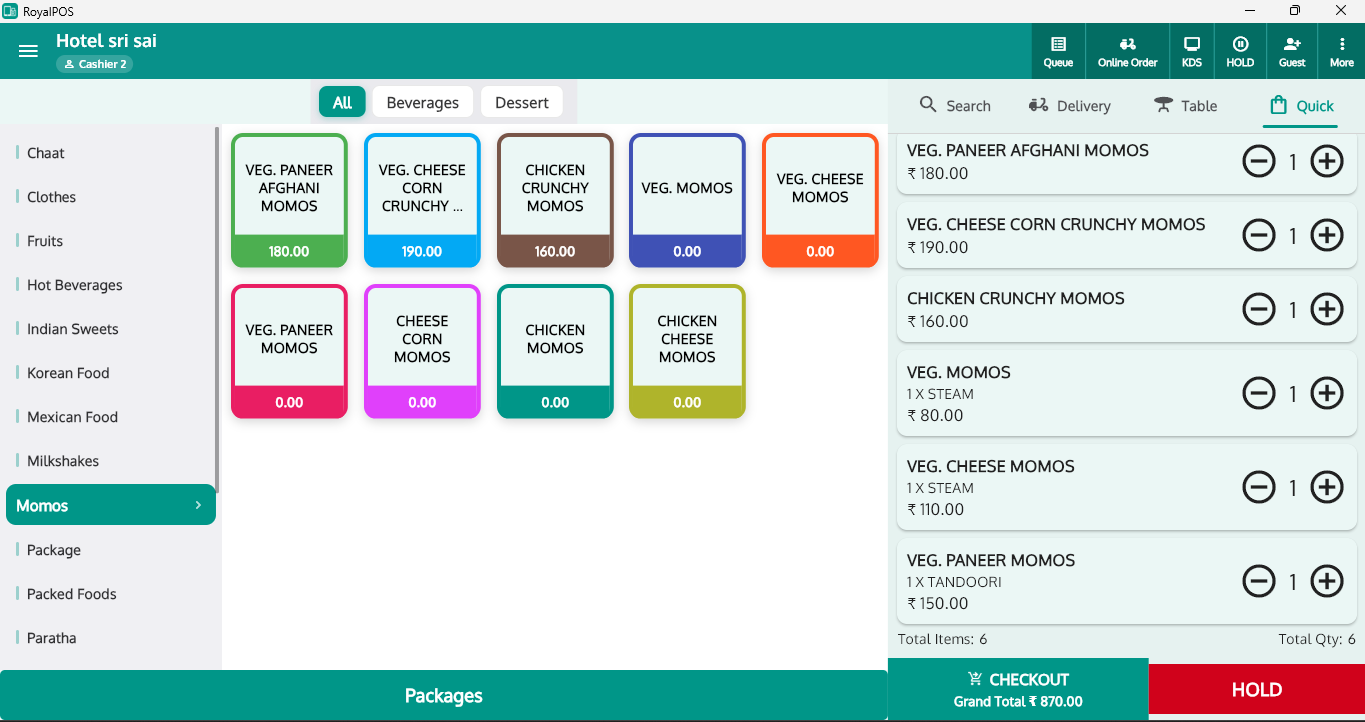
Not an Add-On — Built Into RoyalPOS Billing
The customer display isn't a separate gadget to sync. It mirrors your RoyalPOS billing screen live, so what the cashier punches is exactly what the customer sees.
- Order appears item by item as it's punched — in real time
- Upload your own images and videos for the between-order slideshow
- Runs on multi-screen POS setups — no extra software to manage
- Pairs naturally with a self-ordering kiosk and token flow
Complete Your Counter Setup
Customer Display System — Common Questions
What is a customer display system?
▾It's a customer-facing screen at your billing counter. Customers see their order build up live — item by item, with prices — as the cashier punches it, so they can verify everything before paying.
What screens work with the customer display?
▾Any second screen on a multi-screen POS setup. The cashier bills on the main screen while the customer-facing screen mirrors the order live.
Can the customer display play ads?
▾Yes. Between orders it runs an advertising slideshow of your images and videos — promote combos, offers and new items to every customer at the counter.
Does a customer display reduce billing disputes?
▾Yes. Customers watch each item and price appear in real time, so mistakes get caught before payment — not after. Transparent billing means fewer arguments and more repeat customers.
Give Your Counter a Customer-Facing Screen
See the live order view and ad slideshow running on a real multi-screen POS in a quick demo — and picture it at your counter.